Quran & Qaida library
Noorani Qaida, Quran paras, kalimas, duas and Islamic books in one place — PDFs and images open with a single click.

Education
Quran teaching software for online Quran classes — open Noorani Qaida, Quran, duas and Islamic books instantly and point to the exact word your student should read.
From PKR 2,000Licensed per teacher — start with a free 3-day trial
Configured for the way each of these businesses actually works.
Quran Desk is Quran teaching software built for the way online Quran classes actually run. When a student cannot see where you are on the page, half the class goes on "no, the next word". Quran Desk fixes that.
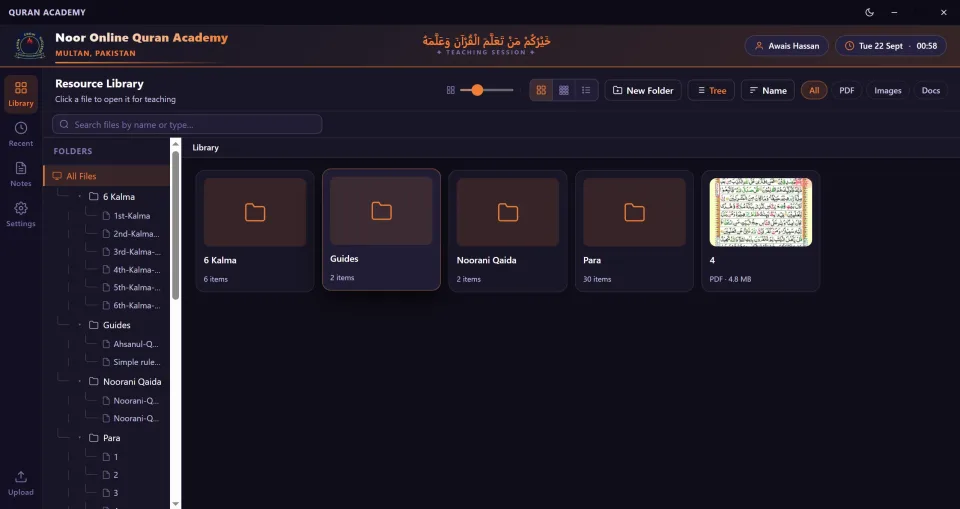
All of your material sits in one organised library — Noorani Qaida, all thirty paras, the six kalimas, duas, tajweed guides and any Islamic book you teach from, as PDFs or images. Open a file and it is ready to teach, with page-by-page navigation and zoom.
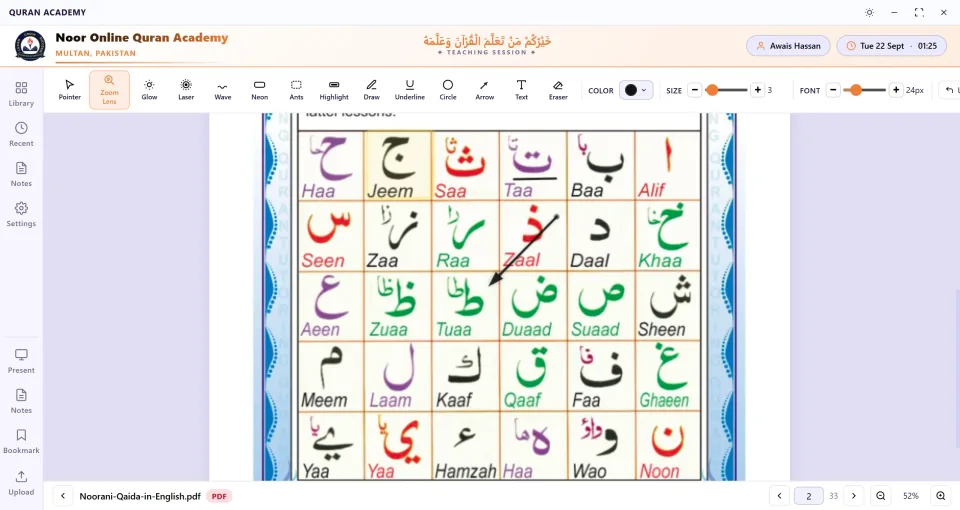
While you share your screen, the teaching toolbar does the pointing for you: a zoom lens to enlarge a letter, a glowing pointer or laser to follow the line, highlight, underline, circle or arrow a word, write a note in text, or draw freely — each in the colour, size and font size you choose, with an eraser and undo when you move on. Present mode gives the page the whole screen.
Quran Desk carries your academy's name, logo and city on every teaching session, works in a bright light theme or a calm dark one, and gives you full control over your resources: add your own files, organise them into folders, bookmark pages and keep notes for every class.
Noorani Qaida, Quran paras, kalimas, duas and Islamic books in one place — PDFs and images open with a single click.
Pointer, zoom lens, glow, laser, wave, neon, marching ants, highlight, draw, underline, circle, arrow, text and eraser.
Magnify a single letter or harakah so the student sees exactly how it is written.
Pick the colour, stroke size and text size of every mark, and undo in one click.
Give the page the whole screen while you teach, without menus in the way.
Jump to any page of a PDF and zoom in or out to fit your screen share.
Bookmark the page each student reached and keep notes for every class.
Organise material in folders and a tree view, search by name, and filter by PDF, images or documents.
Your academy name, logo and city on every teaching session, with the teacher name, date and a live clock.
A bright light theme and a calm dark theme for long classes — switch in one click.
Jump straight back to the files you taught most recently.
Upload your own PDFs and images, create folders, rename and replace files whenever your syllabus changes.
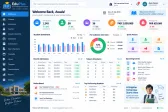
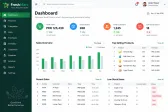
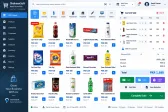
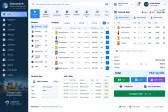
Real screens from the Quran Desk.
Not just the software — everything needed to have your team using it.
Download it, install it and teach your next class with every feature unlocked. No card, no payment — pick a plan only if it works for you.
Licensed per teacher — start with a free 3-day trial
PKR2,000
One licence for a single teacher.
PKR8,000
For small academies — save PKR 2,000 over single licences.
Contact us
For large academies, madrassas and schools with many teachers.
Not sure yet? Start the free 3-day trial — no card needed.
Questions about licences? Ask on WhatsApp
From first call to your staff using it — download and install in minutes.
A short call about how your business runs today and what the system must do.
We shape the system to your workflow, your branding and your reports.
We set it up on your computers or online and move your existing data across.
Your team is trained, and we stay on WhatsApp for anything after go-live.
Interested?
Tell us a little about your business and we will walk you through the system, answer your questions and send you a quote. No obligation.
We'll respond within 24 hours
Yes. Download Quran Desk from our download page and start a free 3-day trial with every feature unlocked — no card or payment needed. When the trial ends, contact us for a licence key to keep teaching.
Quran Desk is Quran teaching software for Quran teachers and online Quran academies. It keeps your teaching material — Noorani Qaida, Quran paras, kalimas, duas and Islamic books — in one organised library and gives you on-screen tools to point to, highlight and zoom into the exact letter or word you are teaching.
When you share your screen, the student sees your pointer, arrow, highlight or zoom lens on the exact word being taught. Instead of saying "the third word on the second line", you simply point at it — beginners in particular follow far more easily and classes move faster.
Fourteen: pointer, zoom lens, glow, laser, wave, neon, marching ants, highlight, draw, underline, circle, arrow, text and eraser — each with its own colour, size and font size, plus undo, present mode, page navigation and zoom.
Any PDF or image — Noorani Qaida, Quran paras, dua cards, tajweed charts or Islamic books. You can add your own files, organise them into folders, bookmark pages and rename, move or replace files at any time.
Yes. Your academy's name, logo and city appear at the top of every teaching session, together with the teacher's name and the date and time, so every class looks professional and consistent.
Yes. Quran Desk has a bright light theme and a dark theme that is easy on the eyes during long classes. Switch between them with one click.
It runs on Windows computers and laptops. Tell us what your teachers use and we will confirm before you buy.
Quran Desk is licensed per teacher: PKR 2,000 for 1 teacher and PKR 8,000 for 5 teachers. For more teachers, contact us for an unlimited licence for your whole academy.
Download the setup from the Quran Desk download page, run it and follow the steps — it takes a minute. Open Quran Desk, enter the trial key shown on the download page, and your free 3-day trial starts. If you would like help, we can install it with you over WhatsApp or a screen share.