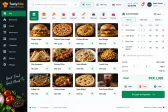
One-tap counter ordering
Large, fast buttons built for peak-hour queues, not for a desk.


Point of Sale
Counter-speed ordering, deals and token numbers for fast food points and takeaways.
Configured for the way each of these businesses actually works.
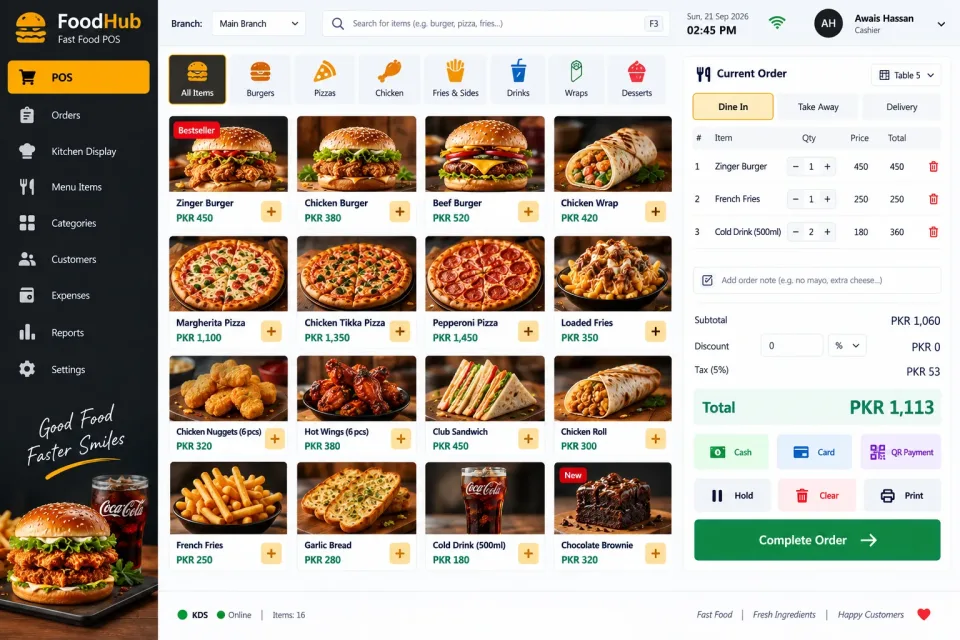
At a fast food counter the whole system has to keep up with the rush. Big one-tap buttons, deals and combos that price themselves, and a printed token so customers know when their order is ready.
Deals are handled properly — a meal deal sells as one price but deducts the burger, fries and drink from stock individually, so you never lose track of what is actually left in the kitchen.
Delivery and phone orders are captured alongside counter sales with the customer's number and address, and hourly reports show exactly when your peaks are so you can staff for them.
Large, fast buttons built for peak-hour queues, not for a desk.
Meal deals sell at one price while stock is deducted item by item.
A printed token tells the customer when their order is ready to collect.
Orders reach the kitchen instantly, printed or on a kitchen screen.
Capture the customer phone and address and assign a rider to each delivery.
Record orders from phone calls and delivery apps alongside counter sales.
Buns, patties, drinks and packaging deducted per item sold.
Cash, card and wallet payments with automatic change calculation.
See your peak hours by the hour and plan staff around them.
Compare sales across outlets from a single account.
Not just the software — everything needed to have your team using it.
From first call to your staff using it — up to two weeks.
A short call about how your business runs today and what the system must do.
We shape the system to your workflow, your branding and your reports.
We set it up on your computers or online and move your existing data across.
Your team is trained, and we stay on WhatsApp for anything after go-live.
Interested?
Tell us a little about your business and we will walk you through the system, answer your questions and send you a quote. No obligation.
We'll respond within 24 hours
It is a one-time price, not a monthly subscription. The final figure depends on the number of computers or branches, the features you need and any customisation, and you get a fixed quote after a short call.
Yes. Screens, receipts, reports, user roles and your branding are set up around how your business works. Features you need that are not listed can be added.
Yes. We install it, move your existing data across where needed, train your team and stay available on WhatsApp after go-live.