Table management
A visual floor map with free, occupied and billing status — move and merge tables in a tap.


Point of Sale
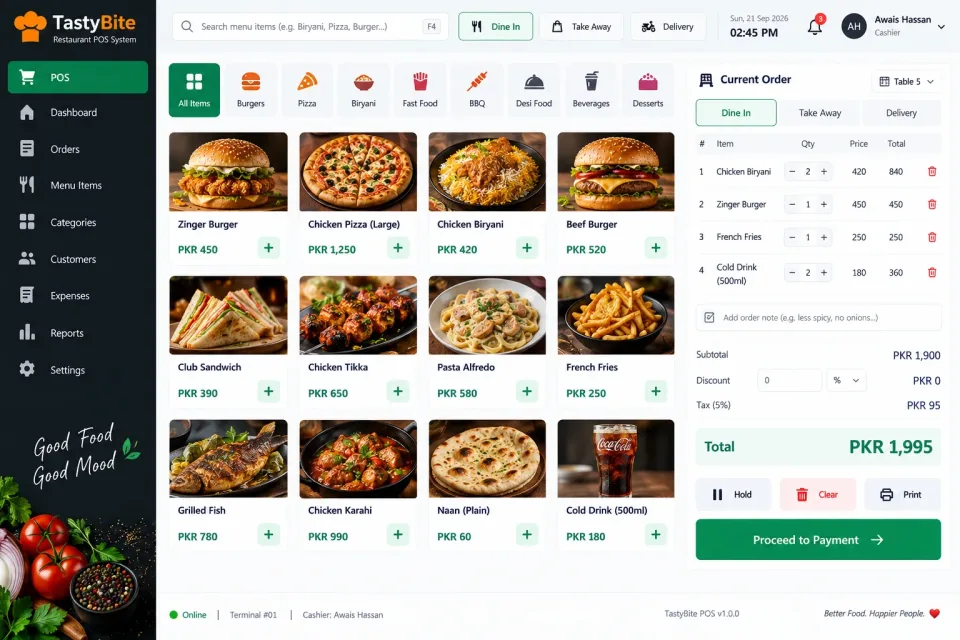
Table orders, kitchen tickets and split bills for dine-in, takeaway and delivery.
Configured for the way each of these businesses actually works.
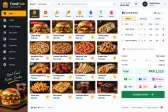
A restaurant runs three businesses at once — the floor, the kitchen and the till — and they all have to agree. Orders are taken against a table, sent straight to the kitchen printer, and billed without anyone re-typing them.
The floor view shows which tables are free, occupied or waiting for the bill. Bills can be split by item or by person, tables merged for large groups, and every dish carries its modifiers so the kitchen gets "no onions" as well as the burger.
Ingredients are deducted as dishes sell, so stock and food cost stay honest, and the day closes with a clean count of cash, card and online payments per shift.
A visual floor map with free, occupied and billing status — move and merge tables in a tap.
Orders print straight to the kitchen or bar printer the moment they are placed.
All three order types on one screen, each tracked separately in reports.
Waiters take orders against their table and name, so every order has an owner.
Split a bill by item or by person, or combine several tables into one.
Sizes, add-ons and kitchen notes such as "extra spicy" travel with the order.
Ingredients are deducted per dish sold, keeping stock and food cost accurate.
Configurable service charge, tax and discounts applied consistently.
Cash, card and online payments reconciled per shift, with a printed closing report.
Best sellers, slow movers and sales by waiter to plan menus and staffing.
Not just the software — everything needed to have your team using it.
From first call to your staff using it — up to two weeks.
A short call about how your business runs today and what the system must do.
We shape the system to your workflow, your branding and your reports.
We set it up on your computers or online and move your existing data across.
Your team is trained, and we stay on WhatsApp for anything after go-live.
Interested?
Tell us a little about your business and we will walk you through the system, answer your questions and send you a quote. No obligation.
We'll respond within 24 hours
It is a one-time price, not a monthly subscription. The final figure depends on the number of computers or branches, the features you need and any customisation, and you get a fixed quote after a short call.
Yes. Screens, receipts, reports, user roles and your branding are set up around how your business works. Features you need that are not listed can be added.
Yes. We install it, move your existing data across where needed, train your team and stay available on WhatsApp after go-live.