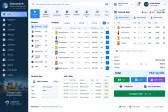
Brand & generic search
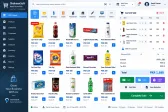
Find any medicine by brand or generic name and offer alternatives instantly.


Point of Sale
Batch, expiry and generic-name search for pharmacies and medical stores.
Configured for the way each of these businesses actually works.
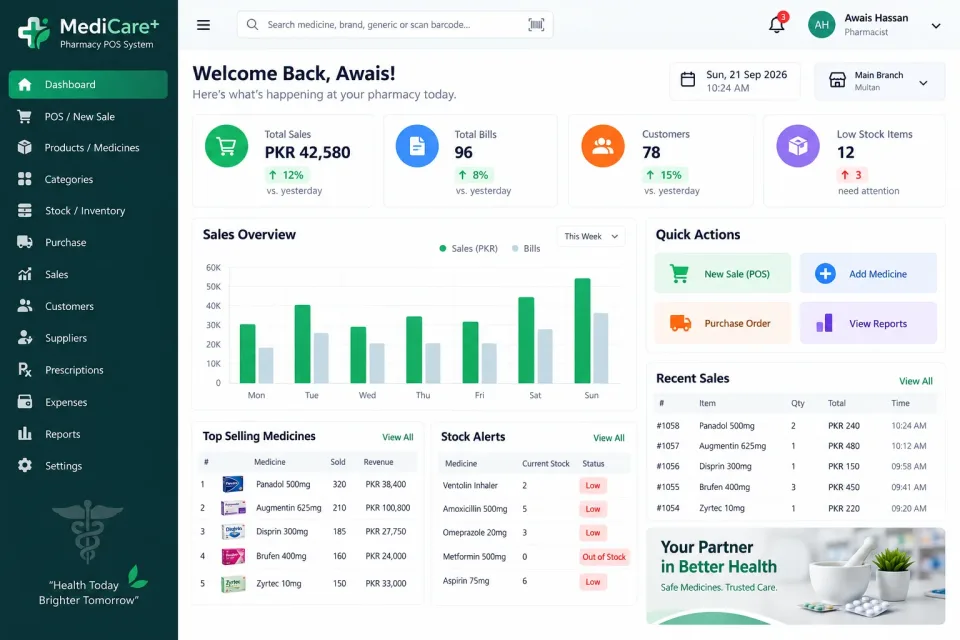
A pharmacy carries thousands of lines, many with near-identical names and short shelf lives. The system finds a medicine by brand or by generic name, so an out-of-stock item can be replaced with an alternative in seconds.
Every batch carries its expiry date. Stock is sold earliest-expiry first, near-expiry reports come up in time to return stock to the distributor, and expired items are never sold by mistake.
Strips and single tablets are both sold at the correct price, every item has its rack location recorded, and a reorder list is generated from what is actually running low.
Find any medicine by brand or generic name and offer alternatives instantly.
Earliest-expiry-first selling with near-expiry alerts and reports.
Sell by strip or by tablet, each priced correctly.
Record where every item sits so staff find it without searching.
Return expired or damaged stock to distributors with a proper record.
An automatic list of what to reorder based on stock levels.
Link sales to prescriptions where your store needs to.
Fast barcode billing with printed receipts.
Configurable discounts by item, category or customer.
Daily sales, margin by product and supplier-wise purchase reports.
Not just the software — everything needed to have your team using it.
From first call to your staff using it — up to two weeks.
A short call about how your business runs today and what the system must do.
We shape the system to your workflow, your branding and your reports.
We set it up on your computers or online and move your existing data across.
Your team is trained, and we stay on WhatsApp for anything after go-live.
Interested?
Tell us a little about your business and we will walk you through the system, answer your questions and send you a quote. No obligation.
We'll respond within 24 hours
It is a one-time price, not a monthly subscription. The final figure depends on the number of computers or branches, the features you need and any customisation, and you get a fixed quote after a short call.
Yes. Screens, receipts, reports, user roles and your branding are set up around how your business works. Features you need that are not listed can be added.
Yes. We install it, move your existing data across where needed, train your team and stay available on WhatsApp after go-live.