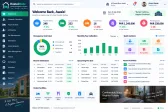
Reservation calendar
Every room's bookings on one calendar, with availability at a glance.


Hospitality
Reservations, check-in, room billing and housekeeping for hotels and guest houses.
Configured for the way each of these businesses actually works.
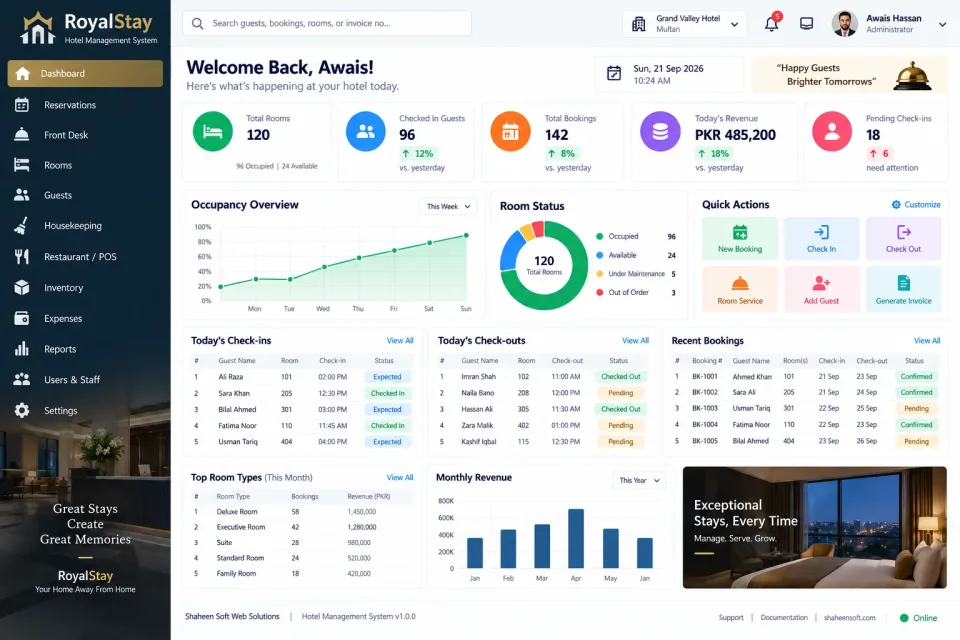
The front desk needs to answer one question instantly: what is free, and for how long. The reservation calendar shows every room's bookings at a glance, and check-in captures the guest's details and ID in one step.
Everything a guest spends lands on one folio — the room, the restaurant, laundry, extras — with deposits and part payments recorded against it, so check-out is a single, accurate bill rather than a hunt through separate slips.
Housekeeping marks rooms clean, dirty or under maintenance so the desk never assigns a room that is not ready, and the night audit produces occupancy and revenue figures every morning.
Every room's bookings on one calendar, with availability at a glance.
Guest registration with ID capture and a fast settlement at departure.
Seasonal, weekend and special rates by room type.
Room, restaurant, laundry and extras on a single running bill.
Deposits, part payments and final settlement tracked per stay.
Clean, dirty and under-maintenance status for every room.
Restaurant and room-service orders posted straight to the guest folio.
Returning guests recognised with their previous stays and preferences.
Daily occupancy, revenue and average room rate.
Front desk, housekeeping and management each with their own access.
Not just the software — everything needed to have your team using it.
From first call to your staff using it — up to two weeks.
A short call about how your business runs today and what the system must do.
We shape the system to your workflow, your branding and your reports.
We set it up on your computers or online and move your existing data across.
Your team is trained, and we stay on WhatsApp for anything after go-live.
Interested?
Tell us a little about your business and we will walk you through the system, answer your questions and send you a quote. No obligation.
We'll respond within 24 hours
It is a one-time price, not a monthly subscription. The final figure depends on the number of computers or branches, the features you need and any customisation, and you get a fixed quote after a short call.
Yes. Screens, receipts, reports, user roles and your branding are set up around how your business works. Features you need that are not listed can be added.
Yes. We install it, move your existing data across where needed, train your team and stay available on WhatsApp after go-live.